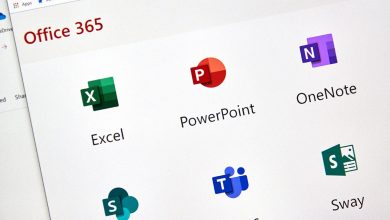
In today’s digital world, productivity tools are essential for students, professionals, and businesses alike. Microsoft Office 365 (now known as Microsoft 365) has become one of the most popular cloud-based productivity solutions in India. With multiple plans tailored for different users, choosing the right one can be confusing.
This guide breaks down Microsoft Office 365 plans in India, including pricing, features, and how to pick the best option.
What is Microsoft Office 365?
Microsoft Office 365 is a subscription-based service that gives users access to popular apps like Word, Excel, PowerPoint, Outlook, and OneDrive. Unlike traditional one-time purchases, it offers cloud storage, regular updates, and advanced features like AI-powered tools.
Microsoft 365 Plans for Individuals in India
Microsoft offers three main plans for personal use in India:
1. Microsoft 365 Personal
- Price: ₹689/month or ₹6,899/year (Microsoft)
- Best for: Single users
Key Features:
- Access to Office apps (Word, Excel, PowerPoint, etc.)
- 1 TB cloud storage on OneDrive
- Works on multiple devices (PC, Mac, mobile)
- Built-in security and AI tools
Ideal for freelancers, students, and individuals who need productivity tools on one account.
2. Microsoft 365 Family
- Price: ₹819/month or ₹8,199/year (Microsoft)
- Best for: Families or small groups
Key Features:
- Supports up to 6 users
- 1 TB storage per person (up to 6 TB total)
- Same features as Personal plan
Great value if multiple people in a household need Office apps.
3. Microsoft 365 Premium
- Price: ₹1,999/month or ₹19,999/year (Microsoft)
- Best for: Advanced users
Key Features:
- Everything in Family plan
- Enhanced AI features (Copilot tools)
- Advanced creative and productivity capabilities
Suitable for professionals who want cutting-edge AI tools and higher usage limits.
Microsoft Office 365 Plans for Businesses in India
Businesses have more advanced options depending on their size and needs:
1. Office 365 E1
- Price: Around ₹830/user/month (Microsoft)
Features:
- Web and mobile versions of Office apps
- 1 TB cloud storage
- Email and collaboration tools
Best for startups and small teams with basic needs.
2. Office 365 E3
- Price: Around ₹1,915/user/month (Microsoft)
Features:
- Desktop + web apps
- Advanced security and compliance tools
- 1–5 TB storage
Ideal for growing businesses needing full desktop apps and security.
3. Office 365 E5
- Price: Around ₹3,160/user/month (Microsoft)
Features:
- Advanced cybersecurity
- Analytics tools (Power BI)
- Threat protection
Best for large enterprises with high security and analytics needs.
Key Features of Microsoft 365
No matter which plan you choose, you get access to:
- Cloud Storage (OneDrive): Secure file storage and sharing
- Collaboration Tools: Microsoft Teams for communication
- Regular Updates: Always use the latest version
- Cross-Device Access: Use on mobile, laptop, and tablet
- AI Integration: Smart suggestions, automation, and content creation
Monthly vs Yearly Plans
Microsoft offers both billing options:
- Monthly: Flexible but slightly more expensive
- Yearly: Cost-effective and recommended for long-term users
- How to Choose the Right Plan
Here’s a simple way to decide:
- Student or individual user: Go for Personal
- Family or shared use: Choose Family
- Freelancer/professional: Consider Premium
- Small business: Start with E1 or E3
- Large organization: Choose E5
Check Also:-
- Microsoft 365 subscription price in India
- Office 365 price in India
- Microsoft office 365 india
- Microsoft Office 365 India price
- Microsoft Office 365 price in India
- Microsoft 365 plans in India
- Microsoft 365 business solution India
- Microsoft Office 365
- Microsoft Office plans
- Microsoft Office plans India
- Office 365 cost in India
- Microsoft 365 pricing in India
- Microsoft 365 price
- Office 365 plans India
- O365 price in India
- MS Office subscription price
- Office 365 cost in India
- Office 365 price plans
Final Thoughts
Microsoft Office 365 plans in India are designed to suit a wide range of users, from students to large enterprises. With flexible pricing, cloud storage, and powerful tools, it remains one of the best productivity solutions available today.
Before choosing a plan, consider your usage, number of users, and required features. Investing in the right plan can significantly boost productivity and collaboration.