Scaling Kubernetes Workloads with Node Swap: Improve Pod Density and Optimize Memory Usage

As cloud-native applications become more complex, managing memory efficiently has become a major challenge for Kubernetes administrators. Modern workloads, especially AI agents, browser automation environments, CI/CD pipelines, and isolated code execution systems, often require significant memory during startup but consume far less when idle.
This creates a resource utilization problem. Nodes can run out of physical RAM even when CPU resources are still available, limiting the number of workloads that can run on a single machine.
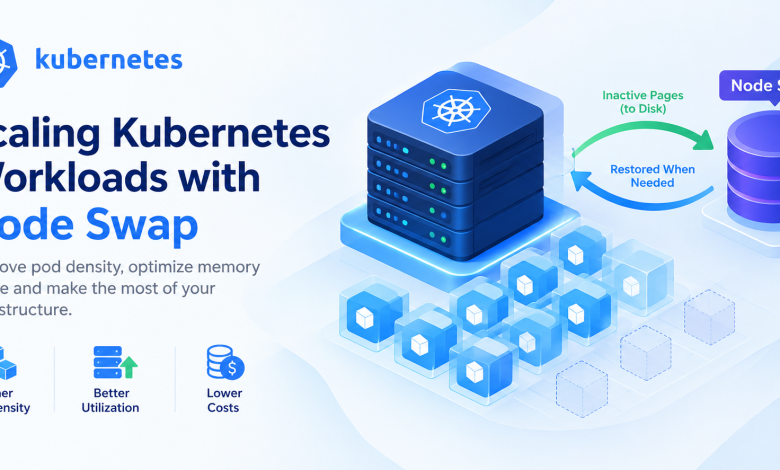
Kubernetes Node Swap offers a practical way to address this challenge. By allowing eligible memory pages to move from physical RAM to disk, node swap can help organizations increase pod density, improve infrastructure utilization, and reduce the pressure on physical memory.
According to the official Kubernetes blog, benchmarks published on October 5, 2026, showed workload density improvements of up to three times in selected sandbox environments using fast NVMe-based local storage.
What Is Kubernetes Node Swap?
Kubernetes Node Swap is a capability that allows Linux nodes to use swap memory alongside physical RAM for supported workloads.
When a system runs low on physical memory, the Linux kernel can move certain inactive memory pages to a designated disk-based swap area. This frees RAM for applications that need it immediately.
Historically, swap was discouraged in Kubernetes environments because of concerns about resource accounting, workload isolation, and performance unpredictability. Modern Kubernetes swap support addresses important parts of these challenges through cgroup v2 memory and swap accounting.
Node swap reached General Availability in Kubernetes v1.34, making it a supported option for administrators who want to optimize memory utilization in suitable environments.
However, swap is not a replacement for physical memory. Its primary purpose is to provide additional flexibility when workloads have variable memory demands.
Why Is Memory a Bottleneck in Kubernetes?
Kubernetes schedules workloads according to resource requests and available node capacity. When memory becomes the limiting resource, administrators may be unable to schedule additional pods, even if a node still has available CPU capacity.
Several factors contribute to this problem:
- Large startup memory requirements: Applications may need substantial RAM during initialization.
- Idle workloads: Services and sandbox environments can remain resident in memory while waiting for new tasks.
- Security overhead: Isolated runtimes can increase memory consumption per pod.
- Unexpected memory spikes: Compilation, data processing, and browser workloads can temporarily require more memory.
- Infrastructure costs: Adding more nodes to accommodate memory-heavy workloads can increase cloud expenditure.
For AI agents and execution sandboxes, these challenges become particularly significant. Each session may require a separate environment, even if the session spends much of its lifetime waiting for another request.
Node swap provides another way to manage these temporary and inactive memory requirements.
How Node Swap Works in Kubernetes
Node swap works with the Linux kernel to move selected anonymous memory pages from RAM to disk when they are not actively needed.
A simplified workflow looks like this:
- Kubernetes runs application pods on a Linux node.
- Workloads allocate physical memory as they start and execute tasks.
- When memory pressure increases, the Linux kernel can move eligible inactive pages into swap.
- The freed physical RAM becomes available for other applications and active workloads.
- If an application needs a swapped-out page again, the kernel retrieves it from storage.
The performance of this process depends heavily on the workload’s active memory requirements and the speed of the underlying storage.
Using fast NVMe local SSDs can reduce the latency associated with swapping compared with slower storage devices. Nevertheless, frequent swapping of actively used memory can still cause performance degradation.
Key Benefits of Kubernetes Node Swap
1. Higher Pod Density
Node swap can help administrators run more pods on existing infrastructure by reducing the amount of physical RAM that must remain occupied by inactive memory pages.
In the Kubernetes team’s benchmarks, a gVisor-based Python sandbox workload increased from 80 concurrent sessions without swap to 240 with local SSD-backed swap.
This represents a threefold increase in concurrent workload density for that particular test environment.
Actual results will vary according to workload characteristics, available RAM, storage performance, and CPU capacity.
2. Better Infrastructure Utilization
Without swap, memory-heavy applications may leave nodes unable to accept additional pods despite having unused CPU resources.
By making better use of physical memory, node swap can help balance resource utilization and reduce situations where one resource is exhausted while another remains underutilized.
This can be particularly valuable for development environments, batch processing, and temporary execution workloads.
3. Potential Cost Optimization
Increasing workload density may allow organizations to run more workloads on their existing nodes rather than immediately provisioning additional infrastructure.
For cloud platforms, this could reduce the number of compute instances needed for certain workloads. For organizations operating their own infrastructure, it may improve the return on existing server investments.
Cost savings are not automatic, however. Administrators must account for local SSD capacity, storage performance, monitoring, and any additional infrastructure requirements.
4. Support for AI Agents and Sandboxed Workloads
AI agents increasingly rely on isolated execution environments to interact with browsers, run scripts, process data, and perform automated tasks.
These environments can consume significant memory while remaining idle between requests. Node swap can help move eligible inactive memory pages out of RAM, making room for other sessions.
This makes the capability worth evaluating for AI execution platforms, browser automation systems, and multi-tenant developer environments.
5. More Flexible Memory Management
Swap can provide a buffer during temporary memory pressure. Rather than treating physical RAM as the only available memory resource, administrators gain another mechanism for handling workloads with fluctuating memory requirements.
This flexibility must be combined with appropriate resource requests, memory limits, monitoring, and capacity planning.
Kubernetes Node Swap Benchmark Results
The official Kubernetes article evaluated swap-backed workloads across CI/CD builds, browser sandboxes, and Python execution environments.
The following results illustrate how different workloads responded to local SSD-backed swap.
| Workload | Without Swap | With Local SSD Swap | Observed Improvement |
|---|---|---|---|
| Linux kernel build | 600 MB memory limit | 300 MB memory limit | 50% lower memory limit |
| Headless Chrome with Kata | 40 concurrent pods | 50 concurrent pods | 25% higher density |
| Headless Chrome with gVisor | 80 concurrent pods | 160 concurrent pods | 2× density |
| Python sandbox with gVisor | 80 concurrent sessions | 240 concurrent sessions | 3× density |
These are results from specific benchmark configurations, not guaranteed performance figures for every Kubernetes cluster.
The CI/CD test also highlighted an important limitation: reducing the memory limit too aggressively can push an application’s active working set into swap, increasing I/O wait times and execution duration.
The main takeaway is that node swap works best when it accommodates inactive or temporarily unused memory rather than replacing the RAM required for active processing.
How to Enable Node Swap in Kubernetes
Kubernetes administrators can configure supported Linux nodes to allow swap through the kubelet configuration.
For Kubernetes v1.34 and later, an example configuration is:
apiVersion: kubelet.config.k8s.io/v1beta1
kind: KubeletConfiguration
failSwapOn: false
memorySwap:
  swapBehavior: LimitedSwap
Understanding the Configuration
failSwapOn: falseallows the kubelet to start when swap is enabled on the node.memorySwap.swapBehavior: LimitedSwapconfigures the supported limited-swap behavior for workloads.
This configuration is only one part of the implementation. Administrators must also verify Linux kernel support, cgroup v2, node-level swap configuration, the Kubernetes distribution’s requirements, and the relevant kubelet settings.
Before enabling swap in production, test the configuration in a non-production environment and confirm that your workloads behave as expected.
Choose the Right Storage
Fast local NVMe SSDs can provide a better foundation for swap-intensive workloads than slower storage. However, performance depends on both the storage device and how frequently applications need to retrieve swapped-out pages.
Monitor storage latency, I/O utilization, memory pressure, and workload response times during testing.
Review Workload Resource Settings
Workloads with predictable active memory requirements should still have suitable memory requests and limits. Burstable workloads may be good candidates for evaluation, but administrators should not assume that every pod benefits equally from swap.
Resource configuration should reflect actual workload behavior, and memory limits should never be reduced solely to maximize pod count.
Best Practices for Using Kubernetes Node Swap
To use node swap effectively, consider the following recommendations:
1. Identify suitable workloads. Start with CI/CD jobs, browser automation, isolated code execution, and applications that retain substantial inactive memory.
2. Monitor memory pressure. Track physical memory usage, swap utilization, out-of-memory events, and container performance.
3. Use performance testing. Benchmark realistic workloads under normal and peak traffic before increasing pod density.
4. Set realistic resource limits. Keep enough physical memory available for active working sets and essential node services.
5. Evaluate storage performance. Ensure that the swap device can handle the expected paging workload without becoming an I/O bottleneck.
6. Maintain workload isolation. Continue using appropriate security boundaries, runtime isolation, and resource controls. Swap does not replace Kubernetes security best practices.
7. Introduce changes gradually. Start with a small test group, compare latency and stability against a no-swap baseline, and expand only after validating the results.
Limitations and Considerations
Although node swap offers potential efficiency improvements, it is not suitable for every application.
- Latency-sensitive applications: Frequent page-ins and page-outs can affect response times.
- Memory-intensive databases: Applications with large, active working sets may perform poorly when important pages are swapped.
- Storage contention: Excessive swap activity can compete with application storage operations.
- Operational complexity: Administrators need additional monitoring and testing to understand memory behavior.
- Platform compatibility: The supported configuration can differ across managed Kubernetes services and Linux distributions.
Node swap should therefore be treated as a workload optimization technique rather than a universal solution to insufficient memory capacity.
The Role of Node Swap in Modern Cloud Infrastructure
As organizations adopt AI-driven automation, microservices, and cloud-native development platforms, infrastructure efficiency is becoming increasingly important.
Kubernetes Node Swap offers a way to improve the use of available physical memory in workloads that spend meaningful periods with inactive memory pages. When paired with fast local storage and carefully tuned resource settings, it can increase workload density and potentially delay the need for additional compute nodes.
For businesses operating Kubernetes clusters at scale, the most effective approach is to combine node swap with workload profiling, resource optimization, autoscaling, observability, and appropriate capacity planning.
Check Also:-
Conclusion
Scaling Kubernetes workloads is not always about adding more CPU cores or increasing the amount of physical RAM. In many environments, the challenge is making better use of the resources that already exist.
Kubernetes Node Swap provides an additional mechanism for handling memory pressure by moving eligible inactive pages to disk. The official benchmarks demonstrate that selected workloads can achieve substantial density improvements, including up to three times as many concurrent Python sandbox sessions in the tested configuration.
